


Thumbnail Maker
4.71.12K Reviews
App Specs
- Version
- 79.0
- Updated On
- License
- Free
- Downloads
- 1,000,000+
- Developer
- Digital Marketing Tools
- Categories
- Art & Design
- Platform
- Android
Screenshots
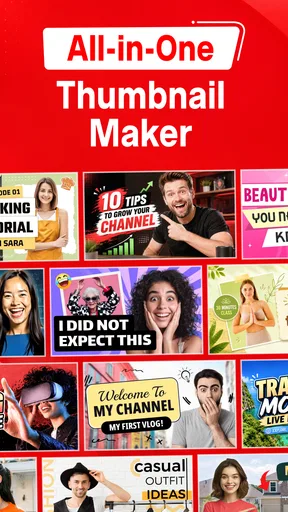
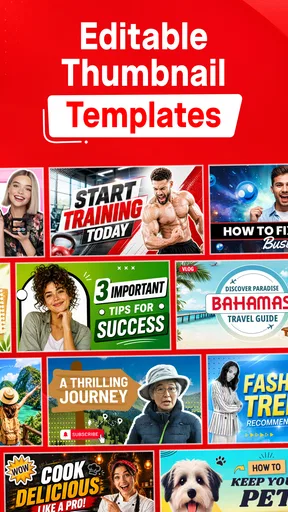
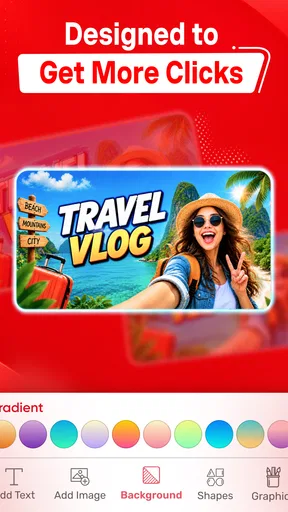
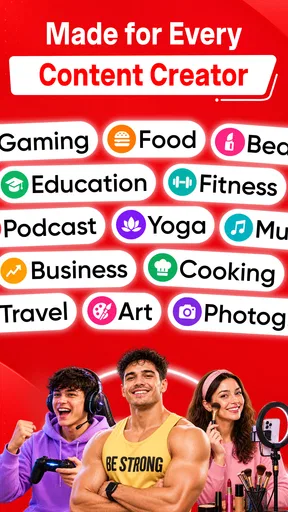
 Analysis by AppCompare
I usually reach for a thumbnail maker when I need a clear visual quickly, not when I’m planning a full branding project. Thumbnail Maker, Banner Maker is aimed at that practical moment: making channel artwork and thumbnails on a phone, with templates to get a layout started rather than a blank canvas. In my experience, that makes it most useful for creators who want to publish regularly and would rather spend their time on the video than on learning a desktop design program.
The app is free to install, and its tools sit in the art and design category. Digital Marketing Tools is the developer. It has a 4.8 average from around 80,000 ratings, and more than a million installs, so it is a familiar option for people looking for quick graphics. The age rating is Everyone. Some items are offered as in-app purchases, with prices ranging from $2.49 to $29.99 per item, so I’d check what is included before building a routine around a paid template or asset.
Where a quick design workflow helps
A useful way to approach a template-based editor is to treat it as a starting point, not as a finished design. I’d choose a layout with the right general composition, replace its wording and imagery, then remove decorative details that compete with the subject. That last step matters: a thumbnail can look lively in the editor but become hard to read when it is reduced to the small size people see while browsing.
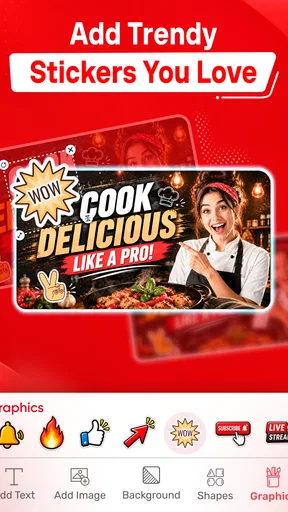
For a realistic everyday example, imagine finishing a cooking video shortly before you plan to share it. You can use a template to establish a bold title area, bring in a close-up of the finished dish, and adjust the text so the key phrase stays legible. I’d keep the wording short and avoid placing important details near the edges. Those choices are more valuable than adding another effect, especially when a viewer is scanning a crowded feed on a phone.
There is also a sensible way to keep a channel looking consistent without making every image identical. Reuse a small set of visual decisions—such as a similar text hierarchy or a restrained color combination—while changing the central photo and headline for each upload. A template collection can make that easier, but the creator still needs to decide which elements are part of their identity and which are merely decoration.
Choosing templates without losing your own style
The store presents the app as having over 10,000 templates, which gives you plenty of starting points to browse. A large library is convenient, but it can also slow you down if you scroll without a clear goal. I recommend deciding on the format and mood first: for example, a clean banner with room for a title, or a thumbnail that makes one subject stand out. Then compare a few layouts rather than trying to inspect everything.
When adapting a design, I’d change the most visible parts first: the main image, headline, and contrast between them. After that, check whether smaller decorative elements still help. This order avoids spending time polishing details that may disappear at thumbnail size. It also makes it easier to spot when a template’s original composition simply does not suit your photo; moving to another layout is often faster than forcing the image into a poor fit.
Worth Reading Before You Choose

EA SPORTS FC Mobile 26 Is a Bigger Football Game, but It Takes Time

Flipboard Shows What News Apps Must Do Beyond the Feed

Switching to Android Auto Means Rethinking Your Driving Routine

Google Calendar Makes a Crowded Week Easier to Manage

Ludo King Makes the Most of the Minutes Between Plans

Baby Panda World Brings Quick Play to Modern Phones, but Its Game Library Feels Busy
That trade-off is central to template-based design. It can save time and help someone who is not confident starting from scratch, but a popular preset may look familiar to other viewers because other creators can also choose it. A few deliberate edits make the result feel more personal. If you need a tightly controlled brand system, custom typography, or detailed layer-by-layer art direction, a more advanced desktop editor may be the better tool.
First Impressions and User Interface
When you first open Thumbnail Maker, Banner Maker, you’re greeted with a vibrant and straightforward interface. No overwhelming menus or unnecessary clutter here! Everything is laid out in a clean, intuitive way that makes it super easy to jump right in and start creating. I love how they’ve kept things simple — it feels like the app is giving you a friendly high-five, saying "Let’s do this!"
The main screen gives you quick access to various templates, and the navigation is smooth as butter. You can easily switch between different tools and options without any hiccups. This seamless experience is definitely a big plus, especially for those who might not be tech-savvy.
Features Galore
Now, let’s get into the meat of it: the features. This app is packed with everything you need to create stunning thumbnails and banners. Here’s a quick rundown of what you can expect:
- Templates: A vast collection of pre-designed templates for all kinds of platforms. Whether you’re creating for YouTube, Facebook, or Instagram, there’s something here for you.
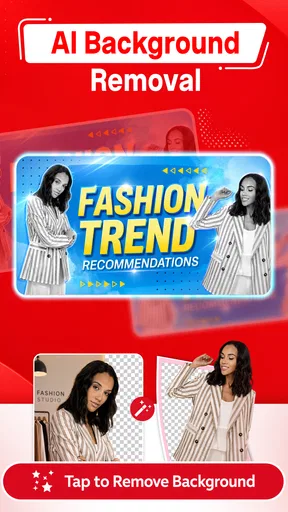
- Customization: Easily tweak text, colors, and images to make each design uniquely yours. The drag-and-drop functionality makes customization a breeze.
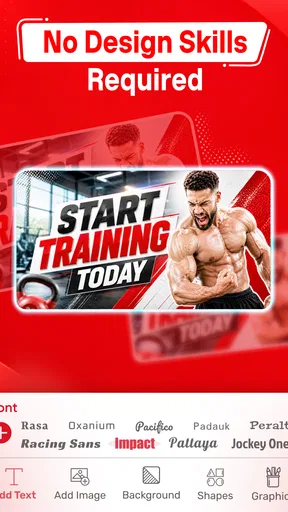
- Fonts and Effects: Tons of fonts and effects to choose from. Go wild with shadows, gradients, and other cool enhancements to make your text pop.
- Stickers and Graphics: A decent selection of stickers and graphics to add some flair to your designs. These little extras can really make a difference!
Performance and Creativity
Performance-wise, Thumbnail Maker, Banner Maker is a champ. It runs smoothly on both Android and iOS, so you won’t have to worry about crashes or lagging. The app is optimized to ensure you spend less time waiting and more time creating. I found that even on older devices, it holds up pretty well, which is always a relief!
But the real magic happens when you let your creativity run wild. The app gives you all the tools to unleash your inner artist. I spent hours experimenting with different styles and effects, and it was a blast. It’s like having a mini graphic design studio in your pocket!
Ease of Use and Learning Curve
If you’re worried about a steep learning curve, fear not! The app is designed with beginners in mind. The user-friendly interface and helpful tips make it accessible to everyone. Plus, there’s a handy tutorial section for those who want a little extra guidance. Even if you’re a total newbie, you’ll be crafting professional-looking graphics in no time.
For those who are more experienced, the app offers plenty of advanced features to explore. It’s versatile enough to cater to all skill levels, making it a great choice for anyone looking to up their design game.
Speed, stability, and device expectations
For a mobile design app, the experience is best judged by how quickly you can move from a template to a usable image. A simple edit—replacing text and adjusting a picture—should feel like a lighter task than building a complicated composition with many effects. I’d keep a project focused if I’m working on a phone, since a crowded design takes longer to revise and is harder to judge on a small screen.
I wouldn’t treat broad performance claims as a promise that every device or project behaves identically. The app’s current version is 78.0 and its minimum Android requirement is 5.0. Those details help set basic compatibility expectations, but the feel of editing can still depend on the phone and the size or complexity of what you are making. If an edit starts to feel sluggish, I’d simplify the layout and make changes in smaller steps rather than stacking more visual effects.
For reliability, a practical habit is to pause and review the design before leaving the editor, especially after making several changes. Keep the original photo or artwork available until you are happy with the finished graphic. That gives you a straightforward way to recover if you decide a crop or text treatment is not working, without having to rebuild the source material. I would also avoid waiting until the last minute to create a channel banner: its broader layout deserves a careful look, and a quick thumbnail workflow is not a substitute for checking the composition at the size where it will be used.
When another design tool makes more sense
Compared with a general-purpose image editor, a template-led app is a more direct route to a familiar social graphic. It helps when the goal is a presentable thumbnail or banner and the deadline is close. A full design program is usually preferable when you need precise control over layers, repeatable brand assets, or a complex illustration. On the other hand, a basic photo editor may be enough if all you need is a crop and a short label; there is no benefit in browsing a large template library for such a small task.
I’d recommend this app most to new video creators, casual social publishers, and anyone who wants to make channel art without sitting down at a computer. It is less suited to professional designers who need exact control over every element, or to people who dislike preset-driven workflows. If you make graphics only occasionally, the free starting point may be enough; if you rely on particular paid items, check their cost before committing to a repeated workflow.
Final Thoughts
In a nutshell, Thumbnail Maker, Banner Maker is a fantastic tool for creating stunning visuals on the go. Its user-friendly interface, rich feature set, and excellent performance make it a top contender in the design app space. Whether you’re a content creator or just someone who loves to dabble in graphic design, this app is definitely worth a try.
So, go ahead and give it a spin! You might just find that it’s the perfect addition to your creative toolkit. Happy designing, friends!
My practical verdict is to use it for quick, template-led channel graphics, while keeping an eye on readability and resisting the urge to decorate every open space. The app is most convincing when speed and an approachable workflow matter more than exacting control. If your needs grow into a detailed identity system, move to a more capable design program; for a creator who mainly needs a clear, timely thumbnail or banner, this is an accessible place to start.
Pros
- User-friendly interface for quick design
- Wide variety of templates available
- Customizable text and fonts
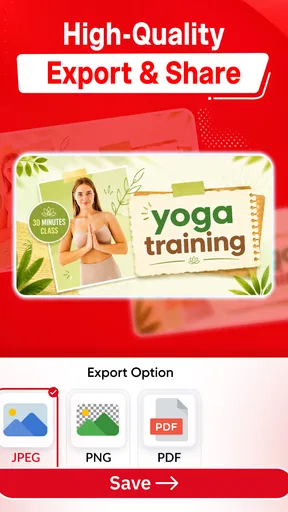
- High-quality image exports
- Supports multiple social media formats
Cons
- Limited free features
- Occasional in-app ads
- Some templates require purchase
- No offline editing option
- Basic editing tools only
FAQs for Thumbnail Maker
What features does Thumbnail Maker, Banner Maker offer?
Thumbnail Maker, Banner Maker provides a wide array of features including customizable templates, a vast library of design elements, and easy-to-use editing tools. Users can create professional-looking thumbnails and banners for platforms like YouTube, Facebook, and Instagram with options for text, images, and effects to enhance their designs.
Is Thumbnail Maker, Banner Maker free to use?
Thumbnail Maker, Banner Maker offers a free version with a variety of tools and templates. However, it also provides a premium subscription that unlocks additional features such as advanced templates, higher resolution exports, and an ad-free experience. Users can choose based on their design needs and budget.
Can I use Thumbnail Maker, Banner Maker on both Android and iOS devices?
Yes, Thumbnail Maker, Banner Maker is available for both Android and iOS platforms. This allows users to design and edit on the go, regardless of their device. The app is optimized for both operating systems, ensuring a smooth and efficient user experience across different devices.
Do I need prior design experience to use Thumbnail Maker, Banner Maker?
No prior design experience is necessary to use Thumbnail Maker, Banner Maker. The app is designed with user-friendliness in mind, offering intuitive controls and step-by-step guidance. Beginners can start creating stunning designs immediately, while advanced users can take advantage of more intricate features.
How often is Thumbnail Maker, Banner Maker updated?
Thumbnail Maker, Banner Maker is regularly updated to improve performance and add new features. The developers focus on user feedback to enhance functionality and introduce fresh design elements. Regular updates ensure compatibility with the latest devices and operating system improvements, maintaining a seamless user experience.


